
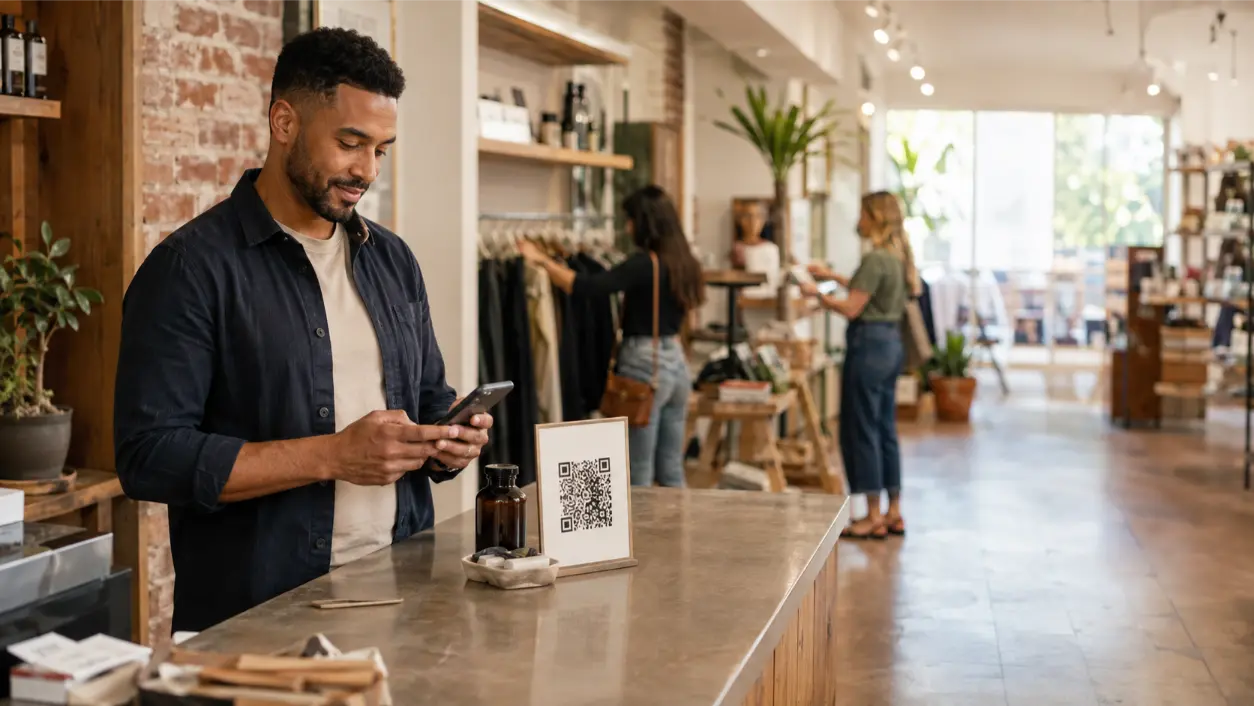





To convert walk-in to digital leads, a retailer needs more than a QR code near the register. The store has to give shoppers a useful reason to identify themselves, make the signup fast on a phone, explain what they are opting into, and connect the captured information to a follow-up process that continues after the shopper leaves. The goal is not to turn every visitor into a form fill. It is to create natural moments where an interested customer can move from an anonymous store visit into a permission-based digital relationship.
MailX2 is designed around that next stage of the relationship. Its platform supports automated email, direct mail, CRM integration, first-party data, and visitor-driven follow-up. For a local retailer, that creates a practical way to connect store traffic with future inbox and mailbox touches instead of relying only on one-time foot traffic.
Why Walk-In Traffic Often Disappears After the Visit
A brick-and-mortar store can be busy and still have a weak digital pipeline. People browse, compare products, ask questions, buy, or leave without purchasing. Unless they join a loyalty program, sign up for email, request a quote, or take another identifiable action, the business has little ability to continue the conversation.
The solution is not to interrupt every visitor with a data request. It is to create a few clear capture points tied to moments of real interest.
Step 1: Decide What Digital Action You Want
Before printing a QR code, define the action it should produce. A shopper should not have to choose among five unrelated forms.
- Email signup: product updates, events, restocks, offers, and nurture.
- Loyalty enrollment: useful when repeat purchases matter.
- Quote or consultation request: useful for higher-consideration purchases.
- Product save or wishlist: useful when shoppers need time to compare.
- SMS opt-in: useful only with a separately reviewed texting program and appropriate consent.
- Event registration: useful for launches, classes, and community events.
Step 2: Put QR Codes Where Intent Is Naturally High
QR codes work best when the physical location explains why someone should scan them. A code beside a product with “Get care instructions and restock updates” gives the shopper a reason. A code that only says “Scan Me” gives them a task.
Useful placements include product displays, fitting rooms, consultation areas, checkout counters, receipts, shopping bags, windows, and event tables. USPS has long supported QR codes and other mobile technologies as a way to connect physical marketing with mobile web experiences. The same principle applies inside the store: the physical touchpoint should lead to one clear mobile next step.
Step 3: Use a Fast, Single-Purpose Landing Page
The QR code is only the bridge. If the shopper lands on the homepage and has to hunt for the promised offer, the store has added friction.
A strong mobile capture page should include a short explanation of what the shopper receives, the minimum fields needed, a clear CTA, any material offer conditions, appropriate privacy or communication disclosures, and a confirmation message explaining what happens next.
For a simple email signup, an email address may be enough. If the business asks for phone, birthday, address, and preferences, each field should have a defined purpose.
Step 4: Give the Shopper a Real Value Exchange
Most shoppers will not provide contact information simply because the retailer wants a larger list. Give them something useful.
- A first- or next-purchase offer.
- Restock or availability alerts.
- Early access to a product release.
- A buying, care, sizing, or setup guide.
- Event registration.
- Loyalty benefits.
- A saved product list or personalized follow-up.
The offer should be truthful and its conditions clear. FTC advertising guidance requires marketing claims to be truthful and non-deceptive. Do not advertise a “free” benefit or discount while hiding important limitations after signup.
Step 5: Start With Email When It Fits the Goal
For many retailers, email is the simplest first-party channel to add. It can deliver the promised item, confirm enrollment, provide product information, and begin a relevant follow-up sequence.
Commercial email still has rules. The Federal Trade Commission’s CAN-SPAM guidance requires accurate sender information, non-deceptive subject lines, a valid physical postal address, a clear opt-out method, and honoring opt-out requests. A checkout email capture should not quietly become an endless promotional stream with no unsubscribe path.
Step 6: Treat SMS as a Separate Permission Workflow
SMS can work for alerts, local events, or time-sensitive messages, but a phone number is not automatically permission to send marketing texts.
If a retailer wants SMS, the signup should clearly explain that the customer is agreeing to receive texts, identify the sender, and use consent language reviewed for the retailer’s actual technology and campaign. Current FCC rules recognize common reply words such as STOP, CANCEL, END, REVOKE, OPT OUT, and UNSUBSCRIBE as reasonable ways consumers can revoke consent in many automated-text contexts.
MailX2’s current public platform is centered on automated email and direct mail, not SMS. If a MailX2 customer also uses texting, treat that as a separate system and compliance workflow.
Step 7: Capture at Checkout Without Slowing the Line
The register is a high-value capture point because the customer has already chosen to interact with the business. It is also where poorly designed lead capture can frustrate people.
Keep the process optional and fast. A cashier might offer an emailed receipt plus a separate marketing signup. A customer-facing screen can offer loyalty enrollment after payment. A printed receipt or bag insert can include a QR code for a future offer, care guide, or member benefit.
Keep transactional communication and promotional enrollment clear. A customer providing an email for a receipt should understand whether that action also enrolls them in marketing.
Step 8: Tag the Source So You Know What Worked
If every new contact enters the database as “retail signup,” the business cannot tell which capture point created it. Use simple source tags such as checkout QR, window display, product display, event registration, receipt signup, loyalty enrollment, or bag insert.
That source can later be combined with lifecycle information such as first-time buyer, repeat buyer, non-buyer lead, VIP customer, lapsed customer, or product-interest category.
Step 9: Build Follow-Up Around What Happened in Store
The first message should continue the store experience. If someone scanned a code beside a skincare display, send the promised skincare content rather than a generic newsletter welcome. If they joined at an event, follow up with the event topic. If they registered a purchase, move them into post-purchase education rather than acquisition messaging.
A simple workflow can be:
- Customer scans or signs up in store.
- The system records the source and relevant context.
- Email 1 delivers the promised value.
- Email 2 provides one useful next step.
- CRM or commerce data updates lifecycle stage after a purchase.
- Selected audiences may later receive a physical mail touch.
Where MailX2 Fits After the Capture
MailX2 states that businesses can use first-party lists and CRM integrations with automated email and direct-mail campaigns. That makes it relevant after a retailer has created permission-based capture in the physical store.
A retailer can use an approved customer list for email follow-up, then reserve triggered or targeted direct mail for selected audiences. MailX2 also supports direct-mail postcards and automated email sequences, allowing the business to combine inbox and mailbox touches without asking store staff to manage each campaign manually.
MailX2 also identifies website visitors through its visitor-identification technology, so a retailer can operate two complementary paths: explicit first-party capture from in-store shoppers and visitor-driven retargeting from the website. Keep the data sources and permissions clear rather than combining them into one undefined list.
Bring Physical Mail Back Into the Customer Journey
Moving a customer from offline to digital does not mean physical channels disappear. A known customer can move through the store, website, inbox, and mailbox.
USPS offers local-business direct-mail options, including Every Door Direct Mail for neighborhood-level outreach. MailX2 adds more targeted direct-mail workflows using known or identified audiences. For existing customer lists, physical mail can be reserved for VIP invitations, reactivation, seasonal events, or higher-value offers when the expected value justifies the cost.
Measure the Whole Capture Funnel
A QR scan is not the final KPI. Track the steps between store exposure and business outcome.
- QR scans or landing-page visits.
- Form completion rate.
- Valid email or phone capture.
- Offer redemption.
- Return website visits.
- Repeat store visits where trackable.
- Purchases linked to the captured audience where attribution is reasonable.
- Email unsubscribes and SMS opt-outs.
- Direct-mail response for selected segments.
Compare capture points. A product-display QR may generate fewer signups than a checkout giveaway but produce more relevant customers.
Common Offline-to-Online Capture Mistakes
- Using a QR code with no explanation of why to scan.
- Sending shoppers to the homepage instead of a dedicated mobile page.
- Asking for too many fields.
- Hiding material incentive conditions.
- Treating receipt delivery as automatic marketing consent without clear disclosure.
- Assuming a phone number automatically authorizes promotional SMS.
- Collecting leads without source tags.
- Sending the same follow-up regardless of the in-store action.
- Failing to sync purchases, opt-outs, or customer status.
- Judging success only by signup volume.
Walk-In to Digital Lead Capture Checklist
- Choose one digital action for each capture point.
- Place QR codes where shoppers have a clear reason to scan.
- Use a dedicated mobile landing page.
- Offer a real and accurately described value exchange.
- Collect only the fields needed.
- Separate transactional communication from promotional enrollment.
- Use a compliant unsubscribe process for commercial email.
- Use separately reviewed consent and opt-out processes for SMS.
- Tag every lead by physical source.
- Connect the first follow-up to the shopper’s store context.
- Update lifecycle stage after purchase or another meaningful action.
- Use direct mail selectively.
- Measure signups, engagement, purchases, and opt-outs by source.
Frequently Asked Questions
How can a retail store convert walk-in traffic into digital leads?
Give shoppers a useful reason to identify themselves at natural points in the store. QR codes, loyalty enrollment, digital receipts, event registration, product guides, and future offers can work when they lead to a fast mobile form and relevant follow-up.
What should a retail QR code link to?
Link to a dedicated mobile page built for the specific in-store context. A product-display QR should lead to product information or a related signup, while a checkout QR may lead to loyalty, a future offer, or receipt-related follow-up.
Should a retailer offer a discount for customer information?
A discount can work, but it is not required. Product alerts, event access, loyalty benefits, useful guides, or personalized follow-up may attract more relevant leads. Any offer should disclose material conditions clearly.
Can a retailer collect phone numbers for SMS at checkout?
Yes, but providing a phone number for a transaction does not automatically authorize marketing texts. Promotional SMS should use a separately reviewed consent process and reliable opt-out handling appropriate to the retailer’s technology and jurisdiction.
How does MailX2 fit with in-store lead capture?
MailX2 can use first-party customer lists and CRM data for automated email and direct-mail campaigns. A retailer can capture customers in store, preserve source and permission context, and use MailX2 as a managed follow-up layer for approved audiences.
Turn the Store Visit Into the Start of a Customer Relationship
Walk-in traffic has more value when the relationship does not end at the door. A retailer can create a digital bridge with a QR code, receipt, loyalty enrollment, event signup, or another useful exchange, then use the captured context to send relevant follow-up instead of generic promotions.
MailX2 helps businesses extend those relationships through automated email, direct mail, CRM integration, and first-party data workflows. Retailers that want to connect store traffic with structured follow-up can review MailX2’s automated email and direct-mail platform or explore additional customer-engagement ideas in the MailX2 Marketing Lab.
Marketing, privacy, communications, and data-use disclaimer: This article provides general educational information and is not legal, privacy, TCPA, cybersecurity, or compliance advice. Email marketing, SMS, loyalty programs, QR-based capture, customer data, direct mail, and automated communications can be subject to federal and state requirements, vendor terms, privacy notices, consent rules, and suppression obligations. Businesses should review their specific workflows with qualified advisers before launch.
RELATED LINK: Federal Trade Commission — CAN-SPAM Act: A Compliance Guide for Business