


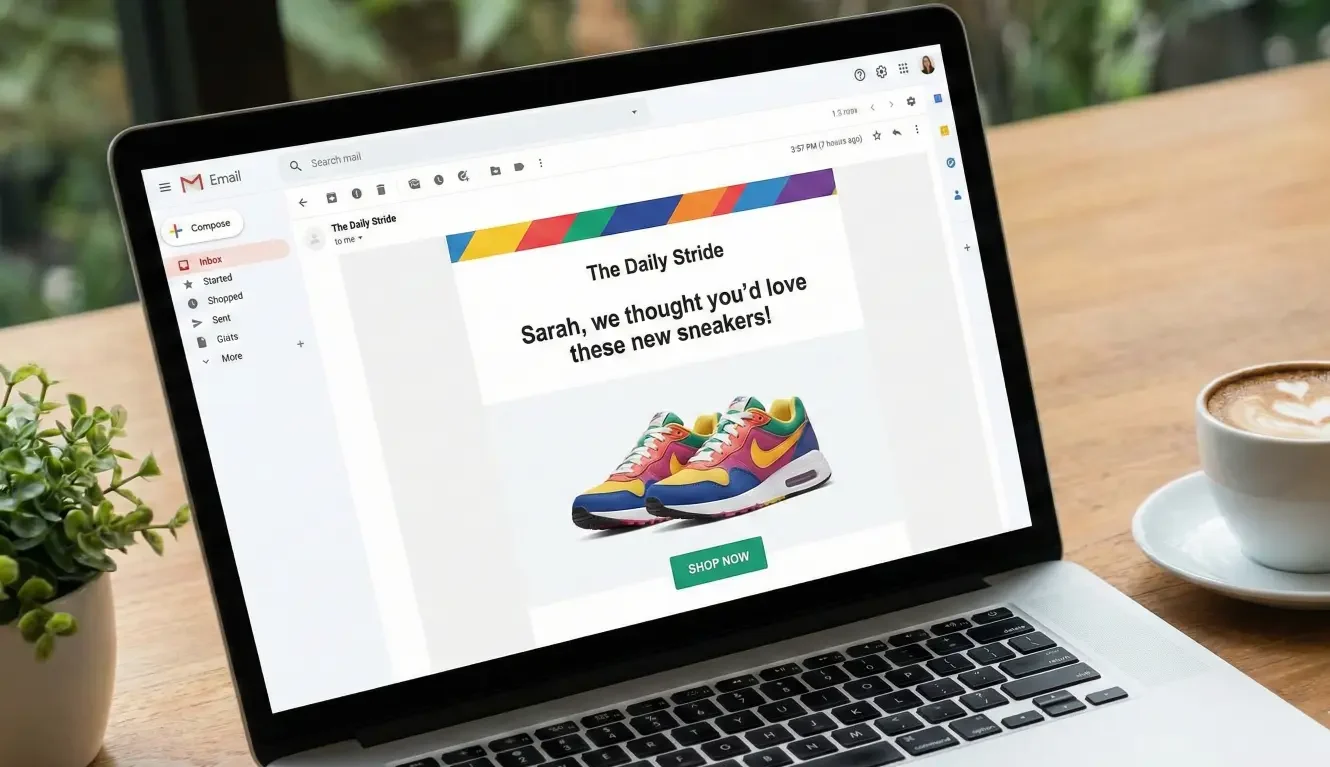
If your email engagement has gone flat—opens are steady, clicks are steady, revenue spikes are inconsistent—you’re not alone. Most e-commerce lists hit a point where “send a weekly newsletter” stops working the way it used to. Not because your copy suddenly got worse, but because your list changed.
You need to personalize retail email campaigns!
As your store grows, your audience becomes mixed: first-time subscribers who haven’t bought yet, repeat buyers who already know your core products, VIPs who want early access, and discount-driven customers who only show up for promos. When you send the same message to all of them, it starts to feel generic to everyone.
This is where segmentation helps. Personalize retail email campaigns with segmentation, and your email program stops acting like one big list. It starts acting like multiple smaller lists—each with a different intent—so you can send fewer emails that feel more relevant.
The real reason your engagement is flat: relevance drift
Stagnant engagement rarely means “email is dead” or “your subject lines are bad.” More often, it’s relevance drift: the slow mismatch between what you send and what different customers actually need.
Here’s what relevance drift looks like in a retail inbox:
- A first-time subscriber gets “VIP early access” to a product line they don’t understand yet.
- A repeat customer gets the same “Welcome to our brand” tone you’ve been using for new subscribers.
- A high-intent browser gets a generic newsletter instead of a message that reflects what they were looking at.
- A customer who hasn’t engaged in months keeps receiving the same frequency as your most active buyers.
Personalization in retail email isn’t just “Hi, Sarah.” It’s two things working together:
- Content relevance: the product, offer, or story matches the customer’s likely intent.
- Timing relevance: the message arrives when the customer is most likely to care (recency), and at a frequency they can tolerate.
Segmentation is the bridge between those two. It turns your list into understandable groups that you can write for, schedule for, and measure separately.
Quick triage: which of these 3 problems do you have?
Before you create more segments, figure out which problem you’re actually dealing with. This triage step prevents the most common mistake: building an elaborate segmentation system you can’t maintain.
Problem A: Too many broadcasts to everyone
If most of your revenue comes from “send to all” campaigns, you’re probably relying on brute force. It can work when your list is small, but it tends to flatten engagement over time because people who aren’t in-market get tired of seeing everything.
Signals you’re here:
- You send most campaigns to the full list (or close to it).
- Your best-performing emails are promos, and everything else feels inconsistent.
- Unsubscribes tick up when you increase frequency.
Problem B: Segments exist, but messaging doesn’t change
This is the “checkbox segmentation” trap. You have segments, but the emails look basically the same—same structure, same products, same offer, same tone—just sent to a smaller group.
Signals you’re here:
- You segment by “purchased before” or “VIP” but you still send the same creative.
- You don’t have a clear reason why a segment gets a different message.
- You measure success mostly at the campaign level, not segment level.
Problem C: Segments are too complex to maintain (so they’re ignored)
If you’ve ever built 15 segments, felt proud, and then never used them again, you’re here. Complexity kills consistency.
Signals you’re here:
- Your segment rules are so specific that audiences are tiny.
- Segments overlap so much you don’t know which one should get what.
- You worry about “doing it wrong,” so you default back to send-to-all.
If you’re unsure, start with Problem A and B. Most stagnant engagement comes from sending too broadly and not changing the message enough when you do segment.
The segmentation ladder: start with 3 segments you’ll actually use
The goal isn’t to build the “perfect” segmentation system. It’s to create a simple structure that makes your emails feel more relevant without multiplying your workload.
Start with three segments you can maintain week after week:
1) New subscribers (no purchase yet)
What they need: orientation and confidence.
What they don’t need: a firehose of product drops and VIP language.
Message intent examples:
- “Here’s what we’re known for” (best sellers, categories, brand story)
- “Help me choose” (quiz, guide, comparison)
- “First purchase nudge” (light incentive or free shipping threshold, if you use one)
A practical approach:
- Keep the tone welcoming and simple.
- Feature a small set of products with a clear reason they’re shown (best sellers, starter kit, “most gifted,” etc.).
- Offer clarity before urgency.
2) Recent buyers (post-purchase window)
What they need: reassurance and the next logical step.
What they don’t need: immediate heavy discounting for more stuff.
Message intent examples:
- “How to get the most out of what you bought” (care tips, usage ideas)
- “What pairs well with your purchase” (cross-sell that feels helpful)
- “Community/UGC” (how others use it; reduce buyer’s remorse)
A practical approach:
- Lead with support and usefulness.
- If you recommend products, anchor them to the original purchase context.
3) Returning customers (2+ purchases or repeat behavior)
What they need: recognition, access, and relevance.
What they don’t need: generic “welcome” messaging.
Message intent examples:
- Early access to new drops (if it fits your brand)
- Replenishment reminders (if your products repeat naturally)
- Category-based picks based on what they’ve shown interest in
A practical approach:
- Use a more confident tone (“You’ll probably like…”), but don’t assume too much.
- Focus on the next purchase that makes sense, not the newest thing you want to push.
A simple rule that keeps segmentation from becoming vague:
- For each segment, write down one sentence: “This group is here because ____, so we’ll send them ____.”
If you can’t fill that sentence, the segment won’t drive better emails.
A low-friction CTA (mid-article)
Download the 3-segment starter template (segment definitions + example messages)
Upgrade #1: behavior-based segments that mirror shopping intent
Once the three core segments are running, the next upgrade is behavior. In e-commerce, behavior is often more actionable than demographics because it reflects what the customer is doing right now.
The point isn’t to “track everything.” The point is to use a few clear signals that imply intent.
Here are behavior-based segments that map cleanly to retail realities:
Browsed a category in the last 14 days
Why it matters: category browsing often reflects a shopping mission, even if it doesn’t convert immediately.
What to send:
- A category-specific “best of” email (top sellers, staff picks, new arrivals in that category)
- A short guide to choosing within the category (sizes, materials, use cases)
- A small set of products with a clear organizing logic (“If you want X, start here”)
Keep it simple:
- Choose one category at a time (your top one or two revenue categories).
- Don’t try to cover every category unless you have the bandwidth.
Added to cart but didn’t purchase
Why it matters: cart behavior is one of the clearest intent signals you get.
What to send:
- A helpful reminder that reduces friction (shipping info, returns policy, sizing)
- Social proof that answers objections (“most common question about this product”)
- A gentle nudge, not an aggressive discount by default
A key restraint:
- Don’t teach customers that “abandon cart = discount.”
- Use discounts only when it fits your brand and margin strategy.
Viewed a product multiple times (high intent)
Why it matters: repeat views can indicate interest plus uncertainty.
What to send:
- Product reassurance (materials, durability, fit, how it compares)
- FAQ-style clarity (the top questions people ask before buying)
- UGC or reviews that match the customer’s likely concern
Engaged with emails but hasn’t purchased (content-first nurture)
Why it matters: they’re raising their hand, just not ready to buy.
What to send:
- A quick “start here” sequence (best sellers, category guide, brand story)
- A quiz or preference capture (even simple “choose your style” clicks can help)
- Educational content that makes purchase easier
This is a good place to be patient. If they’re opening and clicking, the problem may be product fit, trust, or timing—not copy.
Upgrade #2: timing segments (recency + frequency) to stop over-emailing
If your list is mixed, sending everyone at the same frequency is one of the fastest ways to create fatigue. Timing segments help you match intensity to engagement.
Think in two dimensions:
Recency: how recently someone acted
Common recency signals:
- last purchase
- last site visit
- last email engagement (opened/clicked)
How to use recency without getting fancy:
- Create a “recently active” group (engaged in the last 30 days) and a “cooling” group (no engagement in 60–90 days).
- Send your most frequent content to the active group.
- Shift the cooling group to lighter touchpoints or re-engagement.
This alone can make your program feel less noisy to the people who are drifting away.
Frequency: how often someone tends to buy or engage
You don’t need advanced modeling to apply frequency thinking. You just need a basic sense of cadence:
- Some customers buy every month.
- Some buy every season.
- Some only buy during promotions.
A practical way to apply this:
- Identify a “repeat cadence” window that fits your store (TBD based on category).
- For customers who usually buy on a cycle, send reminders and new product suggestions closer to when they’re likely ready.
The “quiet list” strategy: re-engagement vs suppression
One of the most founder-friendly changes you can make is defining what you do with subscribers who go quiet.
Two options:
- Re-engagement: a limited series designed to win them back with relevance and clarity.
- Suppression: reducing sends to protect deliverability and avoid annoying people.
You don’t have to be extreme. Even a simple rule like “if someone hasn’t engaged in 90 days, move them to a lower-frequency track” can protect list health and reduce unsubscribes.
The 5 most common segmentation failure modes (and how to avoid them)
Segmentation works when it’s maintained. The failure modes are predictable—and avoidable.
1) Segment rules are too narrow
If your segment ends up with 47 people, you won’t use it regularly.
Fix:
- Broaden time windows (e.g., 14 → 30 days).
- Use fewer conditions (one signal is often enough).
- Aim for segments big enough to justify writing a distinct message.
2) Segments overlap with conflicting messages
A customer can browse a category, abandon a cart, and be a returning buyer all in the same week. If your system doesn’t prioritize, they may get three different emails that don’t align.
Fix:
- Define a basic priority order (e.g., cart intent overrides category browse).
- Add simple exclusion rules (“cart abandon” excludes “category browse” for 3 days).
- Limit the number of “active” tracks at once.
3) No exit criteria (people get stuck)
If someone joins a segment but never leaves, the segment becomes meaningless. This is especially common with “VIP” labels and “interested in category X” segments.
Fix:
- Define exit conditions as clearly as entry conditions.
- Use time-based expiration (“category interest lasts 30 days unless renewed”).
- Let behavior refresh membership naturally.
4) Personalization becomes “discounts only”
If the only “personalized” message is a coupon, you end up training customers to wait. It also makes every campaign feel transactional.
Fix:
- Personalize with content and guidance first (how to choose, how to use, what pairs well).
- Reserve discounts for moments that justify them (first purchase, seasonal sale, genuine clearance).
5) Tracking gaps (you can’t trust events)
Segmentation depends on the signals you’re using. If those signals are inconsistent, your segments will be noisy and your messaging will feel random.
Fix:
- Keep your segmentation signals limited to what you can verify.
- Run a simple audit (more on that next).
- If a key signal is unreliable, pause that segment until it’s stable.
Proof posture: how to tell if segmentation is working (without chasing vanity metrics)
When engagement is stagnant, it’s tempting to obsess over overall open rates. But segmentation shifts the right question from “How did the campaign perform?” to “Did the message match the group?”
A practical way to evaluate segmentation without chasing vanity metrics:
Look for consistency within segments
Instead of only looking at list-wide averages, check whether segment performance is stable and coherent over time. If your “recent buyers” segment consistently engages more than your “cooling” segment, that’s a sign your grouping is meaningful.
Compare like with like
Segment-level comparison is more informative than comparing a cart abandon email to a newsletter. Compare:
- cart abandon messages against other cart abandon messages
- category browse messages against other category browse messages
- returning customer campaigns against other returning customer campaigns
Run a simple QA checklist
Before you scale segmentation, sanity-check the mechanics:
- Segment size check: Are the segments large enough to justify distinct messaging?
- Sample user check: Pick 5–10 real customers and see if they’re landing in the segments you expect (based on their behavior).
- Event sanity check: If someone added to cart, does your system register it reliably? If someone purchases, does it update quickly?
- Overlap check: Are people receiving multiple conflicting messages in the same week?
If these basics hold, you can improve the creative with confidence. If they don’t, fix the structure first—better copy won’t rescue messy targeting.
A 14-day implementation plan (low-lift) for founders
This plan assumes you’re hands-on and time-constrained. It’s designed to create momentum without turning segmentation into a full-time job.
Days 1–2: audit events + define “core segments”
- Write your three core segments on one page: new subscribers, recent buyers, returning customers.
- For each, write the one-sentence purpose: “They’re here because ____, so we’ll send ____.”
- Confirm you can reliably identify:
- subscriber status (new vs existing)
- purchase history (yes/no, recent)
- basic email engagement (opened/clicked)
If any of these are unclear in your current setup, mark them as TBD and simplify until you can verify.
Days 3–7: build 3 segments + 1 behavior upgrade
- Build the three segments in your ESP.
- Create one distinct message approach per segment (even if it’s a simple template difference).
- Add one behavior-based segment:
- start with cart abandon or category browse
- Write two messages for the behavior segment:
- one friction-reducing message
- one reassurance message (FAQ/UGC/product clarity)
Your goal isn’t volume. Your goal is sending a message that clearly fits the group.
Days 8–14: add timing rules + suppression + one re-engagement flow
- Create a “recently active” and “cooling” group based on engagement.
- Decide how often each group should hear from you.
- Add basic suppression rules so quiet subscribers aren’t receiving the same frequency.
- Build a short re-engagement series (2–3 emails):
- remind them what you’re known for
- show a small set of best sellers with context
- give them a preference click (“What are you shopping for?”) if possible
Keep it maintainable: a monthly segment review routine
Once a month, do a 30-minute check:
- Are segment sizes healthy?
- Are segments overlapping in confusing ways?
- Are your messages genuinely different per segment?
- Are there one or two segments you should drop to reduce complexity?
The best segmentation system is the one you’ll still be using in three months.
When to bring in visitor identification and automated triggers
Segmentation becomes harder when your only signals are email engagement and purchase history. If a large portion of your list is browsing quietly—clicking around your site but not clicking emails—your personalization options can stall.
That’s when visitor-level behavior signals can help: knowing what someone is looking at on your site, what categories they return to, and when their intent seems to rise. In practice, this can expand the segments you can build beyond “buyers vs non-buyers” and let you trigger more relevant follow-ups based on real shopping behavior.
Get a segmentation map for your store.
If your engagement has flattened, you don’t need more emails—you need clearer groups. We can help you map your top 3–6 segments based on real site and customer behavior. See what you could trigger automatically (and what to suppress) so your emails feel relevant again. Request a quick segmentation map →
FAQ
What are the best email segments for a small e-commerce store?
Start with three you’ll actually maintain: new subscribers (no purchase yet), recent buyers (post-purchase window), and returning customers (repeat buyers). These cover the most common intent states and let you change both message tone and timing without complexity.
How many segments should I start with for retail email personalization?
Begin with 3 core segments, then add 1 behavior-based segment once those are running consistently. If you jump to 10+ segments early, you’ll likely stop using them because the system becomes too hard to manage.
What behavior-based segments work best (browse, cart, repeat visits)?
Cart behavior is typically the clearest intent signal, followed by category browsing and repeat product views. Pick one behavior to start, and make sure you can send a message that’s meaningfully different—not just the same newsletter to a smaller group.
How do I use purchase recency and frequency for segmentation?
Use recency to match how “warm” someone is (recently active vs cooling). Use frequency to match cadence (repeat buyers may want earlier access or replenishment-style messaging, while infrequent buyers may need more guidance). Keep it basic: a couple of time windows and a simple suppression rule is often enough to reduce fatigue.
Why does “first name personalization” not improve engagement much?
Because it doesn’t change relevance. Customers don’t engage because you used their name—they engage when the email matches what they care about right now (products, timing, and intent). Segmentation personalizes what you send and when you send it.
How do I prevent overlapping segments from sending conflicting emails?
Define a simple priority order (for example: cart intent overrides category browse), add short exclusion windows (e.g., exclude category browse if someone is in cart follow-up for 3 days), and limit how many active tracks a person can be in at once. The goal is one clear story in the inbox, not multiple competing messages.
Get a segmentation map for your store.
If your engagement has flattened, you don’t need more emails—you need clearer groups. We can help you map your top 3–6 segments based on real site and customer behavior. See what you could trigger automatically (and what to suppress) so your emails feel relevant again. Request a quick segmentation map →
RELATED LINKS: